
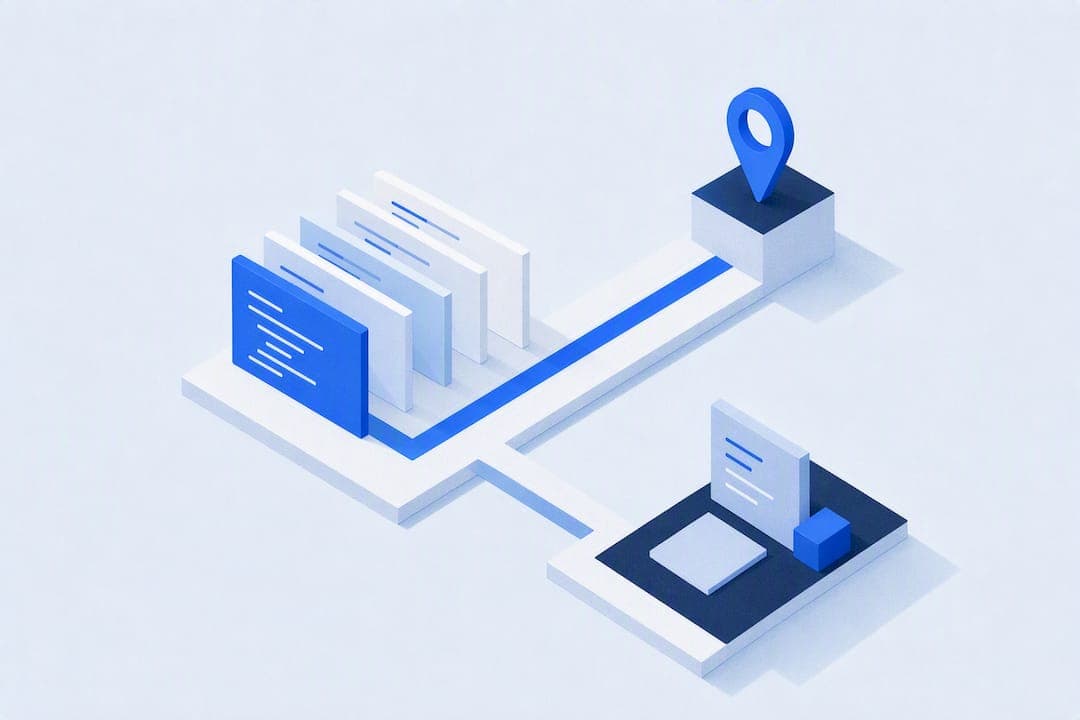
AI code review automates the repetitive parts of pull request review, catching security flaws, logic bugs, missing test coverage, and style violations before a human ever opens the diff. It works best as a first pass, not a final one; architecture decisions, business logic tradeoffs, and judgment calls still need a person in the loop. The rest of this piece walks through how to integrate it, what to evaluate before you pick a tool, and where teams get burned.
TL;DR:
- AI code review is most effective when used for initial filtering of security flaws, style violations, and test coverage gaps, rather than as a final gatekeeper.
- Tools exploring the entire repository in agent mode can detect architectural regressions that diff-only tools miss, but at higher cost and latency.
- Integration best practices include gating reviews with labels, incremental review configurations, and starting with comment-only mode to build trust before enabling verdict-based approvals.
- Data privacy and security risks arise from transmitting code to third-party providers, making self-hosted or local models preferable for proprietary or sensitive codebases.
- Combining AI with human review optimizes time savings by handling repetitive issues, while only flagging high-risk or complex problems for engineers.
Table of Contents
- What Does AI Code Review Actually Catch?
- How Do You Integrate AI Reviewers Into Your CI Workflow?
- How Do You Choose the Right AI Code Review Approach?
- Practitioner Patterns That Actually Move the Needle
- Comparison of Top AI Code Review Tools and Platforms
- Best Practices for Combining AI Review With Human Review
- Does AI Code Review Actually Save Developers Time?
- What Security and Privacy Risks Come With AI Code Review?
- What I've Learned Watching Teams Adopt This
- Gnamiai: Local-First AI Review, Right Inside Your Workspace
- Sources
- FAQ
What Does AI Code Review Actually Catch?
The gap between diff-only and full-repo review modes explains most of the confusion around what these tools can and can't do. A diff-only reviewer sees exactly what changed in a pull request and nothing else, which makes it fast and cheap but blind to context. An agent or full-repo mode can run shell commands like ls, cat, or rg to explore the codebase, pulling in related files, git history, and cross-file dependencies before it writes a review. That difference matters when a change in one file silently breaks an assumption in another; agent-based tools that explore the repository catch architectural regressions that a single-shot diff scan simply cannot see.
Across both modes, the finding types tend to cluster into a few buckets:
- Security issues: hardcoded secrets, injection risks, unsafe deserialization, missing input validation.
- Logic bugs: off-by-one errors, null handling gaps, race conditions, incorrect boolean logic.
- Test coverage gaps: new functions or branches with no corresponding test.
- Style and convention drift: naming inconsistencies, dead code, formatting that CI linters missed.
Integration usually happens through one of three channels: inline suggestions attached to specific lines, a summary comment posted once per pull request, or an auto-generated fix committed as a follow-up PR. Some tools also detect the linters and formatters your CI pipeline already runs, so they skip flagging issues those tools already catch. Which channel you choose changes how much noise your team tolerates day to day.
How Do You Integrate AI Reviewers Into Your CI Workflow?
Getting an AI reviewer running is the easy part. Getting it to behave predictably inside a real CI pipeline, without spamming pull requests or blowing through your token budget, takes deliberate setup. Here's a practical sequence:
- Pick the trigger point. Most teams run reviews as a GitHub Action or GitLab CI job on pull request open and update, rather than on every commit push. Some pair this with an IDE-level agent for pre-commit checks, catching issues before the PR even exists.
- Choose a publish mode. Reviewers can post as plain comments, structured review comments, or native review verdicts (approve, request changes, comment). Publish mode choice directly affects branch protection — a review_verdict mode can become a required status check, while a plain comment mode never blocks a merge on its own.
- Set up label gating. Require a label like
ai-revieworneeds-reviewbefore the workflow fires, so draft PRs and work-in-progress branches don't burn tokens on incomplete code. - Enable incremental reviews. Configure the tool to skip unchanged diffs on repeated pushes and only re-review new commits, which is one of the more effective token-saving measures documented in reusable review actions.
- Lock down permissions. Keep write approvals off by default, restrict tool access to a read-only allowlist for repo exploration commands, and enable secret redaction before any output reaches a public comment thread.
Pro Tip: Start with comment-only publish mode for the first month. Watch false-positive rates before you let the AI's verdict touch branch protection rules. Flipping that switch too early is how teams end up with a required check nobody trusts.
How Do You Choose the Right AI Code Review Approach?
Before you commit to a tool or build your own CI-based setup, run it against a short checklist that separates marketing claims from operational reality.
Signal-to-noise ratio matters more than raw finding count. A tool that flags 40 issues per PR and gets 30 wrong trains your team to ignore it within a week. Ask any vendor for their catch rate against known bug classes, their false-positive rate, and ideally an F1 score if they track one. If they can't answer, that's itself an answer.
Scope coverage decides whether the tool can even see the bugs you care about. Diff-only tools are fast and cheap, but they miss the class of bug that only shows up when one file's change breaks an invariant somewhere else. Agent and full-repo modes close that gap by letting the model run repo-aware commands to gather context before writing findings, at the cost of higher latency and token spend.
VCS and model support determines how much glue code you write. Look for native support across GitHub, GitLab, and Bitbucket, plus flexibility to route requests to OpenAI, Anthropic, Gemini, or a self-hosted model through Ollama for teams with data residency requirements.
Cost predictability comes down to a few concrete levers:
- Label gating to control which PRs trigger a review at all
- Incremental reviews that skip unchanged diffs on repeated pushes
- Model routing that sends trivial changes to cheaper models and reserves stronger models for risky ones
These routing and gating patterns are exactly what community-maintained pull request actions use to keep token spend predictable at scale.
Trust signals worth demanding: deterministic verdict policies that force a "request changes" result when a blocker is present, required-check validation so the AI's verdict can't silently pass a broken build, and an audit trail of what the model saw and decided.
Practitioner Patterns That Actually Move the Needle
Most vendor pages stop at "point it at your repo." The teams getting real value go further, and the patterns that separate a useful setup from a noisy one are mostly operational, not algorithmic.
Agent and full-repo modes earn their higher cost when they're pointed at the changes that need it. A reviewer that can run git blame, search across files, and read related modules catches cross-file invariant violations that a diff-only pass has no way to see, since agentic exploration of a repository surfaces context a single-shot review never gathers. The tradeoff is real: that exploration takes longer and costs more tokens, so it should be reserved for changes that touch shared interfaces, not every one-line typo fix.
Routing by risk is the lever most teams skip. Send small, mechanical PRs to a fast local model and escalate anything touching authentication, payments, or database migrations to a stronger model. Deterministic classification and severity-gated verdict policies make this routing predictable instead of ad hoc, forcing a "request changes" result whenever a blocker-level finding appears rather than letting the model soften its own verdict.
A reviewer that can explore the repo before writing a verdict, rather than reacting to a diff in isolation, closes most of the gap between "AI found a typo" and "AI caught the regression that would have broken production."
Pro Tip: Cap agent-mode exploration depth for routine PRs. Let it run wide and deep only on PRs touching flagged directories (auth, billing, migrations) to keep cost predictable without losing coverage where it counts.
Local-agent-first tools extend this pattern to the desktop: instead of a bot commenting on a hosted PR, the agent works directly inside your project files, with instant Git-style rollback if a change goes wrong.

Comparison of Top AI Code Review Tools and Platforms
The open-source landscape splits roughly into three categories: diff-only bots, agent-mode reviewers, and CI-native actions built for cost control.
AI Review takes the broad-integration approach, supporting GitHub, GitLab, Bitbucket, Azure DevOps, and Gitea alongside multiple LLM providers including OpenAI, Anthropic, Gemini, Mistral, and self-hosted Ollama models. It's a solid fit for teams that want flexibility on both the VCS and model side without locking into one vendor.
misospace/pr-reviewer-action is built as a reusable GitHub Action with deterministic classification, model routing, and severity-gated verdict policies baked in. Its incremental review and unchanged-diff skip logic make it a strong choice for teams worried about runaway token costs on high-traffic repos.
KonstZiv/ai-code-reviewer stands out for its publish-mode flexibility, letting teams choose between comment, review_comment, and full review_verdict outputs, plus inline one-click apply suggestions and discovery caching to avoid duplicating what your linters already caught.
Gnamiai takes a different shape entirely: instead of running inside a CI pipeline against a hosted repo, it's a Windows desktop application where an AI agent works directly on your local files. That makes it less of a PR gatekeeper and more of a hands-on collaborator for teams that want model-driven edits and rollbacks without shipping code to a hosted service first.
Picking between them comes down to where you want the review to happen: inside your CI pipeline, or inside your local workspace before code ever reaches a pull request.
Best Practices for Combining AI Review With Human Review
The teams getting the most value treat AI review as a filter, not a gatekeeper. Practitioner consensus across the open-source community is consistent on this point: AI should absorb repetitive, baseline checks so human reviewers can spend their attention on architecture, design tradeoffs, and business logic the model has no context for.
In practice, that means codifying a division of labor. Let the AI own style consistency, obvious null checks, missing test coverage, and known security patterns. Reserve human review for anything touching system design, API contracts between teams, or decisions where "correct" depends on product context the model was never given.
A second best practice: treat AI findings as a starting point for discussion, not as an automatic verdict, at least early on. A senior engineer skimming AI-flagged issues before the human review pass tends to catch false positives faster than a junior reviewer trying to determine, from scratch, whether the AI's comment even matters.
Third, rotate who owns "AI review triage" so the whole team develops a feel for where the tool is reliable and where it isn't. A model that's excellent at catching SQL injection risks might be mediocre at reasoning about a state machine's edge cases. Teams that only ever let one senior engineer interact with the AI's output never build that collective calibration, and newer team members end up either trusting it blindly or ignoring it entirely.
Does AI Code Review Actually Save Developers Time?
The honest answer is: it saves time on the review itself, not necessarily on the whole delivery cycle. Removing repetitive review work, the null check reminders, the naming nitpicks, the "did you add a test" comments, frees senior engineers from typing the same feedback for the tenth time this sprint. That's real time back, and it compounds across a team running dozens of PRs a week.
Where the productivity story gets murkier is turnaround time on the human side. A PR with twelve AI-generated comments doesn't necessarily get merged faster than one with two human comments; sometimes it gets slower, because someone has to triage which AI findings are worth addressing and which are noise. Poorly tuned tools with high false-positive rates end up costing more attention than they save, since developers spend the freed-up time re-litigating flagged issues that turn out to be non-issues.
The teams that see a genuine productivity lift are the ones that tune the noise down aggressively, using label gating, severity thresholds, and routing rules, before measuring impact. Once the signal-to-noise ratio is high, the effect is straightforward: fewer review rounds, fewer "please fix this obvious thing" comments from a human, and faster time to merge on routine changes. The effect is smaller, or even negative, on teams that turn a tool on with default settings and never revisit the configuration.
What Security and Privacy Risks Come With AI Code Review?
Sending your codebase, even in diff form, to a third-party model provider raises real questions that a lot of teams gloss over during a quick tool evaluation.
The first risk is data exposure. Every diff, and in agent mode potentially entire files or git history, gets transmitted to whatever model provider you've configured. For proprietary code, regulated industries, or anything under a client NDA, that's a real constraint, not a hypothetical one. Self-hosted or local-model options exist specifically to address this: local runtimes like Ollama or vLLM let teams keep code entirely on-premises, falling back to a cloud provider only when needed.
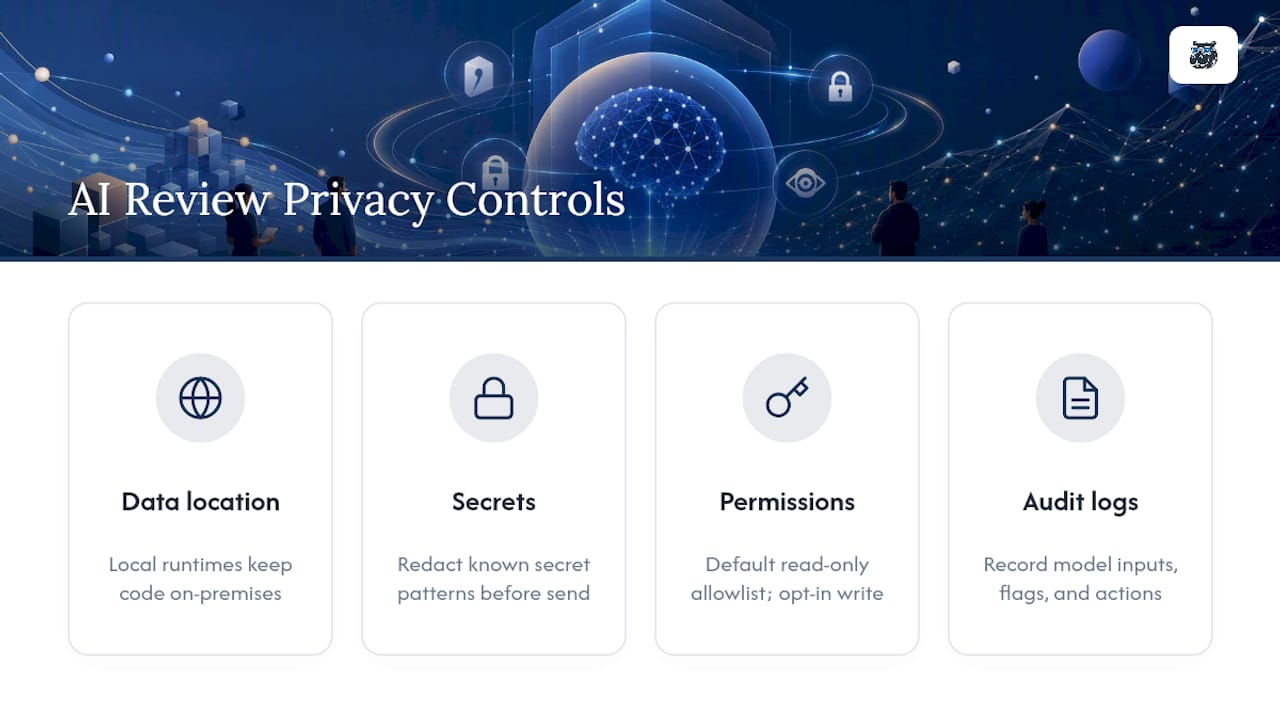
Second is secret redaction. A reviewer that reads full files during agent-mode exploration can accidentally surface an API key or credential that was accidentally committed, either in its output comments or in logs. Any tool you adopt should redact known secret patterns before they reach a comment thread, not after.
Third is permission scope. An agent that can execute shell commands to explore a repo needs a read-only allowlist by default. Write access, especially auto-approval or auto-merge capability, should require explicit opt-in, not ship as a default setting. A misconfigured agent with write permissions and no human approval gate is a far bigger risk than a noisy comment.
Finally, consider audit requirements. Regulated teams need a record of what the model saw, what it flagged, and who acted on it, which means the tool's logging and traceability matter as much as its detection accuracy.
What I've Learned Watching Teams Adopt This
AI review works best as a load-bearing wall you didn't have before, not a replacement for the engineer who understands why the system was built a certain way. The realistic win is fewer repetitive comments clogging up review threads, freeing senior engineers to argue about the things that actually deserve an argument.
The clearest case for agent mode I've seen is a change that looked trivial in the diff but touched a shared interface three files away. A diff-only tool would have approved it. An agent that explored the surrounding code caught the break before it shipped.
Start any pilot on one or two repos, measure false-positive rate first, and only then decide if it earns a spot in your required checks.
— Gabriel
Gnamiai: Local-First AI Review, Right Inside Your Workspace
Most AI review tools live in your CI pipeline, commenting on a PR after the fact. Some desktop applications run AI agents directly on local project files, catching and fixing issues before code ever reaches a pull request.
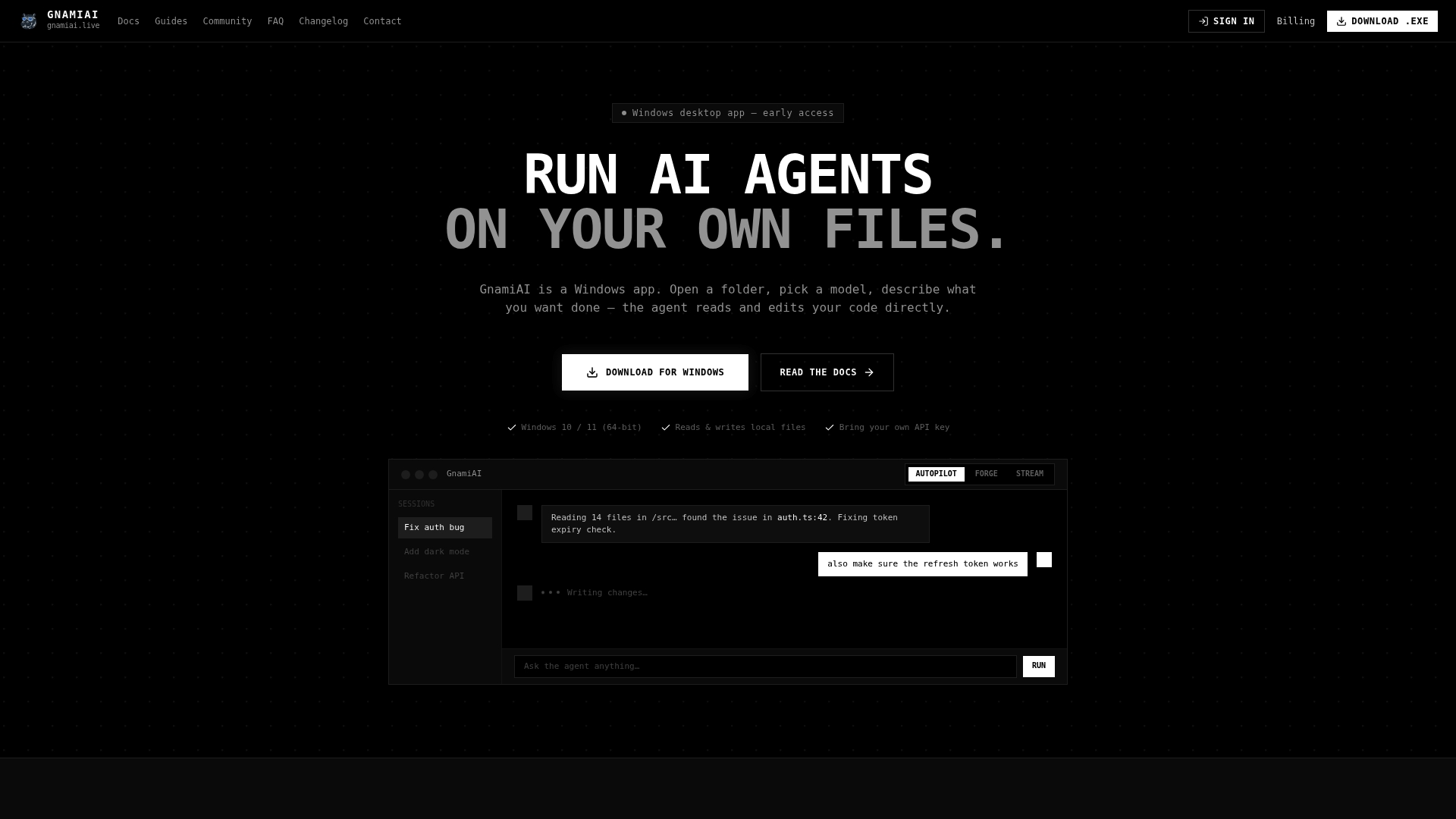
That local-first model maps directly onto the patterns covered above. Some tools offer distinct modes for different tasks — routine fixes with minimal input, granular control over multi-step tasks, and fast, conversational edits. Changes come with instant Git-style rollback, so a problematic agent action can be undone easily. Using a bring-your-own-key or bring-your-own-subscription model setup can provide control over data leaving the machine, similar to self-hosted reviewers.
It's a good fit for developers who want the agent working inside their actual codebase rather than reacting to a diff on GitHub, and for teams who want review and edit in the same motion instead of two separate steps. The Pro plan runs $29 per month with cloud compute credits included; local runs using your own model subscription cost nothing beyond that. Open a project folder, describe the task, and see what the agent finds on your next PR before it ever leaves your machine.
Sources
FAQ
Is AI Code Review Actually Good, or Just Hype?
It's genuinely useful for catching repetitive, well-defined issues like security patterns, missing tests, and style violations, but it's not a substitute for a human who understands the system's design intent. Practitioner guidance consistently frames it as a complement to human review, not a replacement.
What's the Best AI Tool for Code Review?
There's no single best answer since it depends on whether you need CI-native automation, broad multi-VCS support, or a local-agent desktop workflow. Options like AI Review and misospace/pr-reviewer-action suit hosted CI pipelines, while Gnamiai fits teams wanting the agent working directly inside local project files.
How Do You Set Up an AI Code Review Workflow?
Trigger the review on pull request open or update through a GitHub Action or GitLab CI job, choose a publish mode (comment versus review verdict), and gate it with a label to avoid reviewing draft work. Add incremental review and unchanged-diff skip logic to control token costs as your PR volume grows.
Can You Trust the Code an AI Reviewer Suggests?
Trust it as a starting point, not a final answer; always run suggested fixes through your existing test suite and a human reviewer before merging. Tools with deterministic, severity-gated verdict policies reduce the risk of a misleading approval, but no current tool eliminates the need for human sign-off on anything touching architecture or business logic.
What Does Gnamiai Cost?
The Pro plan is $29 per month, which includes cloud compute credits for running AI agents on your projects. Local runs using your own model subscription are free beyond that monthly fee.